Winning customers
Is Your Website Outdated? 7 Signs It May Need an Update
Does your business website look dated or make it hard to get enquiries? Review 7 warning signs and decide whether to update, improve or rebuild it.
by Nguyen VoPublished on 5 min read
Key takeaways
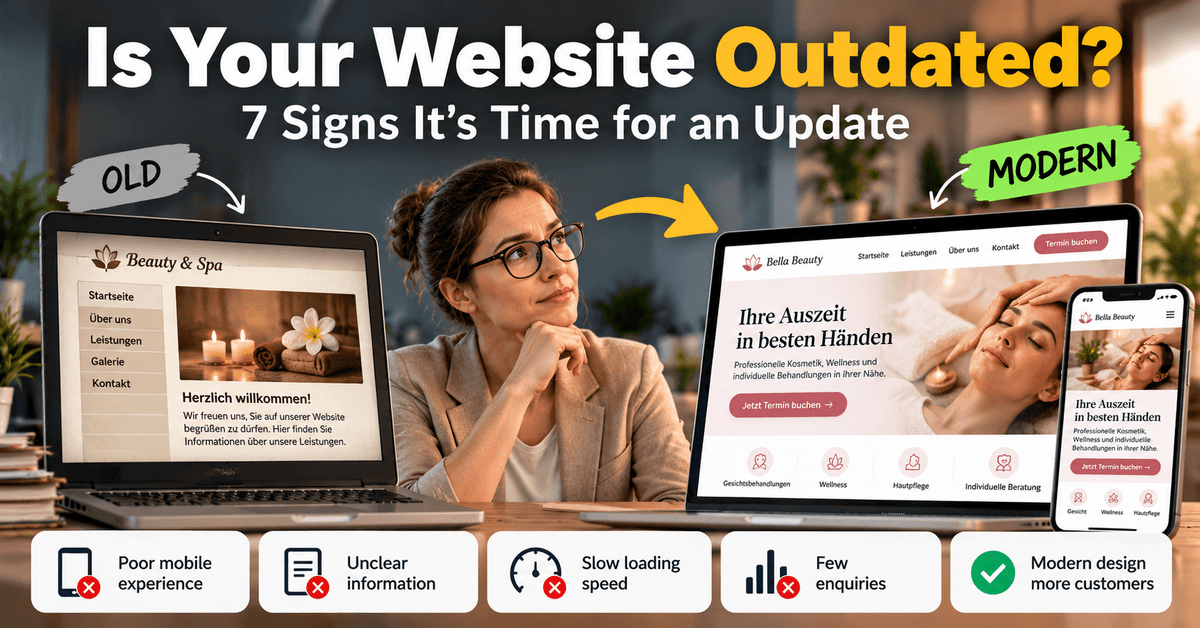
- A website is outdated not because of its age, but when visitors cannot quickly find what they need and get in touch.
- Mobile display, loading speed, current information and a clear contact path are four things you can check yourself in ten minutes.
- Not every outdated website needs a full relaunch: improving content, structure and technology is often enough.
Contents
A business website does not need a redesign every year. It does need to work reliably, explain your current offer clearly and make it easy for potential customers to get in touch.
If your website has not changed for a while, review it. Updated copy, improved mobile usability or a fix to a specific feature may be enough. In other cases, rebuilding the site may be more practical.
1. The mobile experience is difficult
Test your website on an actual phone. Check whether text is readable without zooming, menus and buttons are easy to use, contact details are easy to find and forms work on small screens.
What to do: Record specific issues on important pages. A targeted responsive update may be enough if only a few components are affected. Consider a broader redesign if the overall structure is difficult to use on mobile.
2. Visitors cannot quickly understand your offer
Your homepage should answer: What do you offer? Who is it for? Where do you operate? What should visitors do next?
Broad claims such as "quality and service come first" do not explain your actual service. Use a clear headline, concise explanation and relevant next step.
Try this: Ask someone unfamiliar with your business to review your homepage briefly, then explain what you offer and how they would contact you.
3. Your business information is out of date
Review your address, phone number, opening hours, services, prices, promotions, team details, references, links, forms and downloadable files.
Decide who maintains the website and how often important information is checked. Time-sensitive details need a clear update process.
4. Important features do not work reliably
Test the website as a customer would. Submit a test enquiry or check the booking flow without making a real booking.
Check forms, confirmation messages, phone and email links, booking steps and access to important pages.
Prioritise functional problems. A broken contact path is usually more urgent than a minor visual inconsistency.
5. Your website no longer reflects your business
Your services, audience or positioning may have changed. Make sure the page structure, service descriptions, images and examples reflect what your business does today.
Use genuine, relevant images that are cleared for publication. Avoid decoration that distracts from essential information.
6. Visitors do not know what to do next
Choose a primary action for each page: request an appointment, ask for a quote, call or explore a service.
Use specific button labels. "Request an appointment" is clearer than "Continue" when booking is the intended action. Place calls to action where visitors have enough context to decide.
7. You cannot tell whether the website is doing its job
Define success for your website---perhaps qualified enquiries, calls or appointment requests. Depending on your analytics setup and privacy requirements, review visits to key pages, clicks on contact options or submitted enquiries.
Interpret metrics in context. A traffic decline alone does not prove that the design is outdated. Consider seasonality, technical issues and content quality as well.
Should you update, improve or rebuild?
A full redesign is not always the best answer.
Finding Possible first step
Some details are outdated Update the content
Mobile usability has specific Improve the responsive layout issues
A form or booking feature is broken Test and repair it
The offer or structure is confusing Rework the page structure and copy
The technical foundation is Assess whether a rebuild is difficult to maintain justified
A practical order is: fix functionality and clarity first, then visual design and additional features.
A 30-minute website review
- Homepage: Is your offer quickly understandable?
- Phone: Can visitors use the menu, read content and contact you easily?
- Service page: Are the service, audience and next step clear?
- Contact: Do the phone, email and form work?
- Accuracy: Are your address, hours and service details current?
- Technical checks: Are there obvious loading, display or link problems?
Record each issue, the affected page and its priority. This is a more useful project brief than simply saying the website should look "more modern".
The 15-minute self-check for your website
Before you decide on a relaunch, form your own picture. All you need is your phone and a sheet of paper:
- Open it on your phone: Can you read the text without zooming? Can you hit every button with your thumb?
- Test the contact path: How many clicks from the home page to a phone number, booking or form? More than two is too many.
- Check the details: Are opening hours, prices, address and services correct? Does the footer still show an old year?
- Measure speed: Run PageSpeed Insights with your address and note the mobile result.
- Google yourself: Search for your service plus your city. Does your website appear, and does the result look trustworthy?
Write down what stands out. If two or more points fail, take a closer look, though a targeted rework often comes before a rebuild.
Conclusion
A website needs attention when it fails to inform visitors reliably, works poorly on their devices, creates incorrect expectations or makes contacting the business difficult. Its age alone is not enough to justify a rebuild.
Start with a structured review. The findings can help you decide whether targeted improvements are enough or a new website is warranted.
Next step: A website audit should identify specific issues, explain their impact and recommend prioritised actions---not merely provide a general design opinion.
Frequently asked questions
How often should a business website be redesigned?
There is no universal schedule. Review whether content, technology, mobile usability and business goals still align.
Does an old website automatically hurt SEO?
No. Age or an older visual style alone does not automatically mean lower rankings. Helpful content, technical accessibility, usability and relevance matter.
Can I update my website myself?
Many content updates can be made through a suitable CMS. Significant technical, structural or security-related changes should be reviewed carefully.