Running the business
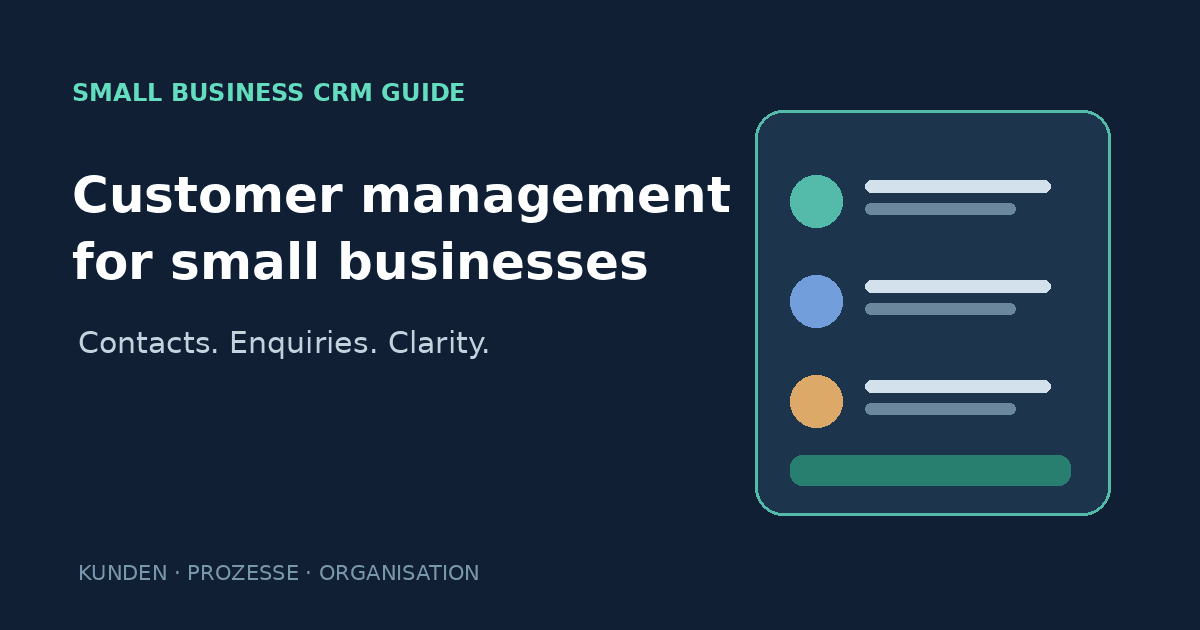
Customer management for small businesses: when does a CRM make sense?
Organise customer details, enquiries and follow-ups. Learn when a spreadsheet is enough, what a small-business CRM should do, and what to check before choosing one.
by Nguyen VoPublished on 6 min read
Key takeaways
- A simple customer list is enough while you manage few contacts and everyone uses the same source.
- A CRM pays off when enquiries get lost, callbacks are forgotten or nobody knows the customer history.
- Record only the data you really need, and decide who may see it and when it is deleted.
Contents
- Suggested internal links:
/services/,/blog/website-data-protection/,/contact/
Many small businesses start with a spreadsheet, a calendar and an email inbox. That can work while the customer base is small. Over time, however, information becomes scattered: contact details in a spreadsheet, appointment discussions in WhatsApp, quotes in email and notes on paper.
The result can be familiar: an enquiry goes unanswered, a follow-up is forgotten, or nobody remembers what was agreed with a customer. A structured customer-management process brings the necessary information together.
CRM stands for Customer Relationship Management. A CRM system helps a business organise customer contacts and related work. It does not have to be large or complicated. The key is whether it improves a real process.
1. What should basic customer management include?
For many local service businesses, a CRM acts as a practical shared memory. Depending on the business, it may organise:
- Contact details and preferred communication channel
- Enquiries and their status
- Appointments or next steps
- Quotes, orders or service history
- Brief, relevant notes
- The responsible team member and follow-up date
Not every business needs every feature. A nail studio with frequent repeat appointments has different needs from a trades business preparing quotes and managing projects over several weeks.
Note: A CRM is not automatically a booking, point-of-sale or invoicing system. Check what each product actually handles and whether staff would have to enter the same information twice.
2. When is a spreadsheet enough—and when might a CRM help?
A spreadsheet may be sufficient when:
- There are only a few contacts.
- One person maintains the records.
- Enquiries rarely overlap or require handovers.
- There is little need to automate workflows.
A CRM becomes more useful when:
- Enquiries are regularly missed or answered late.
- Several staff members work with the same customers.
- You need to track leads, quotes or callbacks.
- Follow-up tasks and reminders matter.
- Customer history is spread across different channels.
Do not adopt a tool simply because it sounds modern. Identify the problem first. If you cannot explain what information or process should improve, a new system may add unnecessary work.
3. A simple example: from enquiry to customer
Imagine a small beauty business receives a treatment enquiry through its website. A basic customer workflow might be:
- New enquiry: Record the name, contact channel and requested service.
- Response pending: Assign a clear status and an owner.
- Quote or appointment offered: Briefly record the outcome of the conversation.
- Booked or closed: Update the status and retain only necessary information.
- Follow-up: If appropriate and agreed, create a reminder for the next action.
The value is not in collecting as much data as possible. It is in helping the team know what needs to happen next.
4. Which CRM features matter most for a small business?
Contact and activity overview
You should be able to see who made an enquiry, what it concerns and its current status.
Tasks and follow-ups
The system should help staff remember callbacks and next steps. Check whether tasks can be assigned and reminders configured.
Search and filters
Finding records by name, status, date or owner saves time. Avoid software that creates more clicks than value.
Connections to existing tools
Integrations with website forms, email, calendars or booking software can reduce duplicate entry. Verify that the integration exists and understand which data it transfers.
Export and access
Check whether you can export contacts and activity in a usable format. Review permissions, backups and a realistic exit path if you change vendors.
5. Privacy: manage customer data deliberately
A CRM processes personal data. Under the GDPR, data should be processed for defined purposes, limited to what is necessary and protected appropriately. In practical terms:
- Collect only information needed for a clear business purpose.
- Explain data processing to customers transparently.
- Restrict access to people who need it for their work.
- Decide how long records are needed and when they should be deleted or reviewed.
- Check the provider, contractual terms, subprocessors and data locations.
- Document the provider’s role and any required agreements.
Take particular care with sensitive information, such as health details or personal circumstances. Do not casually collect such information in free-text notes. The legal assessment depends on the purpose and data involved; seek professional advice when unsure.
6. How to choose a CRM without overcomplicating things
Do not start with a long feature checklist. Write down three situations that are currently awkward—for example, “a website enquiry needs to be assigned reliably” or “we need to see open quotes and required callbacks”.
Evaluate options against:
- Fit: Does it solve those specific workflows?
- Usability: Can staff use it without extensive training?
- Total cost: Include subscriptions, setup, migration and add-ons.
- Integration: Does it work with your existing calendar, forms and booking tools?
- Privacy and security: Are access, deletion, export and provider terms clear?
- Room to grow: Can you add users or processes later without starting with needless complexity?
Test the system with realistic but appropriately minimised sample data. Create a contact, record an enquiry, assign a task and export the records. Then decide whether it fits your day-to-day work.
Set up a mini customer list in 30 minutes
Before you buy a tool, try a spreadsheet. These columns are enough to start with:
- Name and one way to reach them (phone or email)
- Source: how did the enquiry arrive? Google, referral, social media
- Last contact and next step with a date
- Service: what are they interested in, what was booked?
- Note: only what is needed to look after them
Decide who maintains the list, when it is reviewed each week and when entries are deleted. If the spreadsheet no longer works after a few weeks, you know exactly which features a CRM needs.
Conclusion
Customer management does not have to be complicated for a small business. A well-maintained spreadsheet may be enough at first; a CRM can help when enquiries, tasks or customer information are being lost. Start with a specific process problem, choose only the features you need, and consider privacy, cost and the ability to switch providers later.
Want to handle website enquiries more systematically? Describe how enquiries arrive and what happens next. That can help determine whether a simple overview, an integration or a CRM is appropriate.
Sources and further reading
- European Commission – Data protection and the GDPR: https://commission.europa.eu/law/law-topic/data-protection/data-protection-eu_en
- EUR-Lex – General Data Protection Regulation (EU) 2016/679: https://eur-lex.europa.eu/eli/reg/2016/679/oj
This article provides general information, not individual legal advice.
Frequently asked questions
What does CRM mean?
CRM stands for *Customer Relationship Management*: methods and systems for organising customer contacts and related work.
Does every small business need a CRM?
No. A well-maintained spreadsheet may be enough for a small number of contacts. A CRM is more useful when several people collaborate, enquiries need follow-up or information is scattered.
Is a CRM the same as online appointment booking?
No. A CRM manages customer relationships and activities. Booking software manages availability and appointments. Some products combine them; others do not.
What customer data can I store?
Only data that is necessary for a specific, lawful purpose and handled appropriately. Inform customers, restrict access and review retention periods and provider terms. Specific cases may require professional advice.
Can I move to another CRM later?
That depends on the provider and contract. Before adopting a system, check whether contacts and activity can be exported and in what format.